You are currently on the unstable branch. Click here to go to safety.
Download
Choose Minecraft Version
26.1-snapshot1126.1.1-rc1v0.1.0
26.1-snapshot1126.1.1v0.1.0
26.1-snapshot1126.1-snapshot1v0.1.0
26.1-snapshot1126.1-snapshot2v0.1.0
26.1-snapshot1126.1-snapshot3v0.1.0
26.1-snapshot1126.1-snapshot4v0.1.0
26.1-snapshot1126.1-snapshot5v0.1.0
26.1-snapshot1126.1-snapshot6v0.1.0
26.1-snapshot1126.1-snapshot7v0.1.0
26.1-snapshot1126.1-snapshot8v0.1.0
26.1-snapshot1126.1-snapshot9v0.1.0
26.1-snapshot1126.1-snapshot10v0.1.0
26.1-snapshot1126.1-snapshot11v0.1.0
26.1-snapshot1126.1-pre1v0.1.0
26.1-snapshot1126.1-pre2v0.1.0
26.1-snapshot1126.1-pre3v0.1.0
26.1-snapshot1126.1-rc1v0.1.0
26.1-snapshot1126.1-rc2v0.1.0
26.1-snapshot1126.1-rc3v0.1.0
26.1-snapshot1126.1v0.1.0
26.1-snapshot111.21.11-25w41av0.1.0
26.1-snapshot111.21.11-25w42av0.1.0
26.1-snapshot111.21.11-25w43av0.1.0
26.1-snapshot111.21.11-25w44av0.1.0
26.1-snapshot111.21.11-25w45av0.1.0
26.1-snapshot111.21.11-25w46av0.1.0
26.1-snapshot111.21.11-pre1v0.1.0
26.1-snapshot111.21.11-pre2v0.1.0
26.1-snapshot111.21.11-pre3v0.1.0
26.1-snapshot111.21.11-pre4v0.1.0
26.1-snapshot111.21.11-rc1v0.1.0
26.1-snapshot111.21.11-rc2v0.1.0
26.1-snapshot111.21.11-rc3v0.1.0
26.1-snapshot111.21.11v0.1.0
26.1-snapshot111.21.10-rc1v0.1.0
26.1-snapshot111.21.10v0.1.0
26.1-snapshot111.21.9-25w31av0.1.0
26.1-snapshot111.21.9-25w32av0.1.0
26.1-snapshot111.21.9-25w33av0.1.0
26.1-snapshot111.21.9-25w34av0.1.0
26.1-snapshot111.21.9-25w34bv0.1.0
26.1-snapshot111.21.9-25w35av0.1.0
26.1-snapshot111.21.9-25w36av0.1.0
26.1-snapshot111.21.9-25w36bv0.1.0
26.1-snapshot111.21.9-25w37av0.1.0
26.1-snapshot111.21.9-pre1v0.1.0
26.1-snapshot111.21.9-pre2v0.1.0
26.1-snapshot111.21.9-pre3v0.1.0
26.1-snapshot111.21.9-pre4v0.1.0
26.1-snapshot111.21.9-rc1v0.1.0
26.1-snapshot111.21.9v0.1.0
26.1-snapshot111.21.8-rc-1v0.1.0
26.1-snapshot111.21.8v0.1.0
26.1-snapshot111.21.7-rc-1v0.1.0
26.1-snapshot111.21.7-rc-2v0.1.0
26.1-snapshot111.21.7v0.1.0
26.1-snapshot111.21.6-25w15av0.1.0
26.1-snapshot111.21.6-25w16av0.1.0
26.1-snapshot111.21.6-25w17av0.1.0
26.1-snapshot111.21.6-25w18av0.1.0
26.1-snapshot111.21.6-25w19av0.1.0
26.1-snapshot111.21.6-25w20av0.1.0
26.1-snapshot111.21.6-25w21av0.1.0
26.1-snapshot111.21.6-pre-1v0.1.0
26.1-snapshot111.21.6-pre-2v0.1.0
26.1-snapshot111.21.6-pre-3v0.1.0
26.1-snapshot111.21.6-pre-4v0.1.0
26.1-snapshot111.21.6-rc-1v0.1.0
26.1-snapshot111.21.6v0.1.0
26.1-snapshot111.21.5v0.1.0
Close

⚠ Compact Diamonds v1.0+ has 100% changed how this datapack works, please place any compact diamonds in a crafting grid to convert them to the new item system! ⚠

Does your server have a diamond-based economy?
Is your server dealing with large transactions?
Are you tired of carrying so many diamonds?

Well you're in luck!

Crafting a Compact Block of Diamond

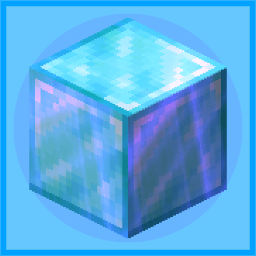
Compact Diamonds is a simple yet very useful Data Pack that adds a new item called "Compact Block of Diamond", crafted with 9 Blocks of Diamond and easily uncrafted in the inventory crafting menu.

The Compact Block of Diamond can be carried in stacks of 64 or placed on the ground

One Compact Block of Diamond is the equivalent to 81 diamonds.

How to install?

Vanilla [Datapack]:

  1. Download the latest release for vanilla.
  2. Open Minecraft.
  3. Select the world you want to install the data pack for, click on "Edit", then "Open world folder".

    ⚠ Server note:

    For a server, simply find the folder in the server called "world".

  4. Open the folder named datapacks, and put the datapack into it. The datapack should be a .zip file.
  5. If you are in the world during the installation, type /reload (if you have enabled cheats) or press F3+T.
  6. If the datapack was installed correctly, it should be enabled in the world. If you have enabled cheats, you can verify by typing /datapack list enabled and find an entry named [file/Compact-Diamonds.zip].
  7. If it doesn't work then reload Minecraft.
  8. If it still doesn't work then just search on the internet.

Modded [Fabric / Quilt / Forge / NeoForge]

  1. Download the latest release for modded.
  2. Locate your mods folder. Often located in %appdata%\.minecraft\mods or ~/Library/Application Support/minecraft/mods.
  3. Put the Compact Diamonds .jar in the mods folder.
  4. If Minecraft is open, please restart it for Compact Diamonds to load.

    ⚠ Fabric / Quilt note:

    Fabric iconFabricAPI (or specifically fabric-resource-loader-v0) is required for the .jar to load.

Dev Info: Compact Block of Diamond can be translated using the key block.compact_diamonds.compact_diamond_block, fallback is "Compact Block of Diamond".

If you want to change the texture of the Compact Block of Diamond without also changing the normal Diamond Block, you can use Compact-Diamonds-Custom-Model-Template Compact Diamonds Custom Model Template.
All repositories related to Compact Diamonds:
Compact Diamonds Compact Diamonds Custom Model Template Compact Diamonds Translations Compact Diamonds Paper

I'm currently working on on making translations for this datapack, I'd love some help.

Smithed

Copyright © 2023-2026 Smithed
Not an official Minecraft product. Not approved by or associated with Mojang Studios