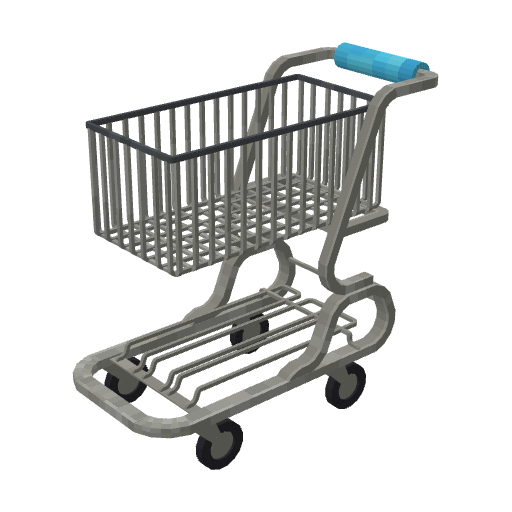
Shopping Kart





🛒 Shopping Kart is a datapack that lets you ride various vehicles in Minecraft, it is not intended to be used in a survival server but rather in a minigame or a custom server.
🎮 Core Commands
/function shopping_kart:kart/summon: Spawns a default vehicle/function shopping_kart:kart/switch_model/summon_new_kart: Spawns a vehicle with current player's selected model/trigger shopping_kart.trigger_model set <number>: Sets the current player's selected model to the given number. Special cases are:number > 0: Specific model number-1: Next model-2: Previous model-3: Random model
⚙️ Configuration Commands
Fine-tune your shopping kart experience with these configuration commands!
Kart Effects and Controls 🎛️
The following tags and scoreboards are applied to the kart entity (tagged shopping_kart.kart). You can run the commands in chat or from command blocks. The examples below affect every currently summoned kart.
| Effect | Command to enable | Command to disable | What it does |
|---|---|---|---|
| Forced acceleration | tag @e[tag=shopping_kart.kart] add shopping_kart.forced_acceleration | tag @e[tag=shopping_kart.kart] remove shopping_kart.forced_acceleration | Accelerates in the kart's facing direction without requiring steering input. By default, the kart follows its passenger's facing direction. |
| No steering | tag @e[tag=shopping_kart.kart] add shopping_kart.no_steering | tag @e[tag=shopping_kart.kart] remove shopping_kart.no_steering | Keeps the kart's current facing direction instead of following the passenger's yaw. Can be combined with forced acceleration. |
| Engine off | tag @e[tag=shopping_kart.kart] add shopping_kart.engine_off | tag @e[tag=shopping_kart.kart] remove shopping_kart.engine_off | Prevents normal acceleration from building engine power; any existing power continues to drain. |
| No grip | tag @e[tag=shopping_kart.kart] add shopping_kart.no_grip | tag @e[tag=shopping_kart.kart] remove shopping_kart.no_grip | Makes the kart handle as if it were on a slippery surface, regardless of the block underneath it. |
| Cruise control | scoreboard players set @e[tag=shopping_kart.kart] shopping_kart.cruise_control 1 | scoreboard players set @e[tag=shopping_kart.kart] shopping_kart.cruise_control 0 | Holds the current engine level: normal engine drain and steering-driven engine gain are suspended until disabled. Steering still works; boosters can still modify the engine level. |
For example, put the cruise-control enable command in an impulse command block to activate it once. Use the disable command to return to normal engine drain and acceleration. A repeating command block is not needed.
To give all current karts a temporary reactor boost, set its duration in ticks (20 ticks = 1 second):
scoreboard players set @e[tag=shopping_kart.kart] shopping_kart.reactor_boost 100
The reactor boost increases acceleration and movement for 100 ticks. The score counts down automatically.
The speed_up and speed_down effects are handled automatically while driving: steering input accelerates the kart, and engine power naturally drains when not using cruise control. Drive over magenta glazed terracotta to activate a directional booster.
Surface Settings ⚡
Control how the kart behaves on different surfaces with the shopping_kart:kart_surfaces/ block tags in the datapack's data/shopping_kart/tags/block/kart_surfaces/ folder:
| Surface Type | Description |
|---|---|
| Normal | Blocks not in one of the surface tags |
| Fast | Colored concrete |
| Slippery | Ice, packed ice, and blue ice |
| Slow | Dirt, sand, gravel, grass, and other rough terrain |
| Very Slow | Soul sand, mud, honey blocks, slime blocks, and similar terrain |
Edit the corresponding fast.json, slippery.json, slow.json, or very_slow.json block tag to customize which blocks use each surface behavior. The no_grip tag overrides these settings and forces slippery handling.
Special Features 🌟
- 🏎️ Directional boosters: Magenta glazed terracotta pushes the kart in the direction the block faces.
- 🚀 Reactor boost: Temporarily increases acceleration and movement; activate it with the
shopping_kart.reactor_boostscoreboard as shown above. - 🌊 Water: Kart buoyancy and vertical movement are adjusted automatically while it is in water.